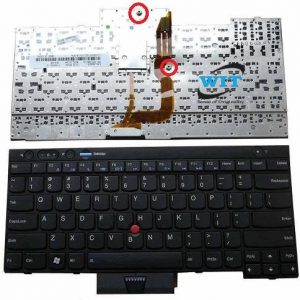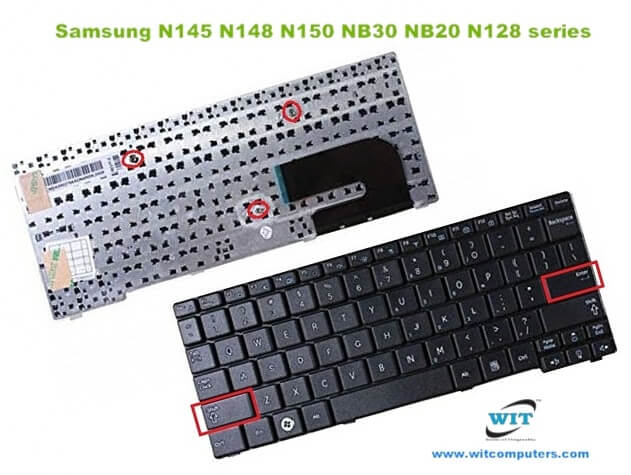
Laptop Keyboard/Keypad for Samsung N150 plus N143 N145 N148 N158 NB30 NB20 N102 N102S N148P NB30P series, P/N: CNBA5903105KBIL, CNCA5902686EBIL9042, MP-09M33T0-E18, MP-09M36F0-E181, V113760AS1
Technical Specifications
- Laptop Brand : Samsung
- Series Name : Samsung N150 plus N143 N145 N148 N158 NB30 NB20 N102 N102S N148P NB30P series
- Layout: USA Layout only
- Language: English (USA/UK)
- Screw: 03
- Color: Black
- Backlit : No
- Track Pointer : No
- Power Switch: No
- Size : Mini/Small
- Condition: Brand New & Original (QC)
- Warranty: 03 Months/90 Days
- Fitting Charge : Applicable
***Kindly Note……….
Please firstly compare the picture with your keyboard before you place an order. Make sure the laptop model and keyboard is the right one you need. If you are still not sure after a comparison, please contact us.
Suggestion : When you want to buy a laptop keyboard , you must follow these indications:
- Laptop accurate brand, model/series name & number or keyboard P/N
- Color & layout (USA/UK)- especially Enter key
- Fixing type : easy removable or adhesiveness (palmrest based)
- Button shape (especially arrow or corner keys ) or connector cable extent & position
- Screw position, track pointer & backlit availability
- Keyboard Connecting Cable or Ribbon ending cover or cap setting up or down position (especially Asus brand)
- Including Palmrest or not ?
- Keyboard size : Long/Medium/Mini (especially with Num Lock/without Num Lock)
- Function Keys’ length & quantity (especially HP brand)
How to Install / Replace your SAMSUNG N148 Keyboard?
- Turn off your laptop. Disconnect the AC adapter and any cables, then remove the battery. Turn the laptop over and let it cool off for a few minutes before you begin.
- On the underside of the notebook, you’ll find screws holding the keyboard and palm rest in place. Set the screws aside, and be sure to keep track of them all.
- Turn it over and open the Lid. Slide your fingers under the top of the palm rest and gently pull it up, moving from the center to the outer left and right edges. Leaving the fingerprint reader attached, place the palm rest down in front of the unit.
- Lift the damaged SAMSUNG N148 Keyboard up from the front, then pull it toward you to release it from the notebook’s frame. Pull up on the connector to detach.
- Attach the new SAMSUNG N148 Keyboard replacement’s connector. Position it over the space vacated by the old connector, and press down firmly until it snaps into place. Slide the top of the keyboard under the lip of the frame (near the display). Ensure that the top edges are just under the frame. Tilt the keyboard down until it lays flat and sits flush with the top, left, and right edges of the frame.
- Align the bottom edge of the palm rest along the base of the frame, then press down until the top is also in place. Press firmly on the left and right edges to snap the palm rest into place again.
- Close the Lid, and turn the notebook over. Replace all the screws, making sure to tighten them securely. Insert the battery, plug in your AC adapter, and enjoy your new keyboard.
1 in stock
MRP:৳ 2,500

1 in stock
Fit for Laptop Models:
- Samsung N150 Plus N143 N145 N148 N158 NB30 NB20 N102 N102S series

- Samsung N150 plus N143 N145 N148 N158 NB30 NB20 N102 N102S N148P NB30P series
- Samsung N130 keyboard
- Samsung N143 keyboard
- Samsung N145 keyboard
- Samsung N148 keyboard
- Samsung N150 keyboard
- Samsung N151 keyboard
- Samsung N158 keyboard
- Samsung NB20 keyboard
- Samsung NB30 keyboard
- Samsung NB30P keyboard
- Samsung N148P keyboard
- Samsung N145 N148 N150 NB30 NB20 N128 series
Keyboard Part Number:
- CNBA5902686ABIL904L
- CNBA5902686CBIL904M
- CNBA5902687ABIL99C5
- CNBA5902687BBIL901U
- CNBA5902687CBIL904R
- CNBA5902687DBIL
- CNBA5902687EBIL903N
- CNBA5902687FBIL
- CNBA5902687K13IL905F
- CNBA590268ABIL99AT
- CNBA5902709ABIL904R
- CNBA5902709BBIL903H
- CNBA5902709DBIL902M
- CNBA5902709DBIL903J
- CNBA5902709EBIL9048
- CNBA5902709FBIL904U
- CNBA5902709KBIL903K
- CNBA5902766ADN4R09N1750
- CNBA5902766CDN4R2CJ0479
- CNBA5902767
- CNBA5902767CDNR1A
- CNBA5902767DDN4R032
- CNBA5902767PDN4R03J5439
- CNBA5902768ADN4R09F0204
- CNBA5902769
- CNBA5902769BDN4R2AJ
- CNBA5903105KBIL
- CNCA5902686EBIL9042
- MP-09M33T0-E18
- MP-09M36F0-E181
- V113760AS1
Lenovo ThinkPad L440 Series Laptop Internal Speakers 04X4847
Original Google 60W Fiber PB-1600-29 5.5*3.0 AC Power Adapter
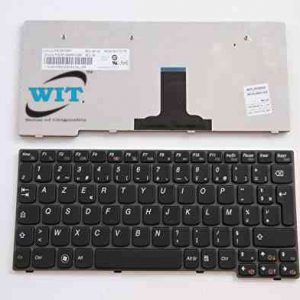
Laptop Keyboard for Lenovo Ideapad K23 K26 K27 S12
Internal Battery For Lenovo Yoga 710 Yoga 710-14ISK Series L15M4PC2 L15L4PC2, L15M4PC2 L15L4PC2 Battery for Lenovo Ideapad Yoga 710-15ISK 710-151KB 710-14IKB 710-14ISK 710-15IKB 710-14IKB-80V4 710-15ISK-80U0 710-14ISK-80TY 710-15IKB-80V5 5B10K90778 5B10K90802
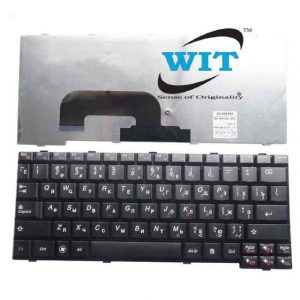
Lenovo IdeaPad S100 S10-3 S10-3S Series Laptop Keyboard
T430 Lenovo x230 keyboard Lenovo IBM Thinkpad T430 T430S T430I X230 X230T X230I Keyboard